cat wpx-hosting-review.md
WPX Hosting Review
My WPX hosting review after seven years with them, and many more using dozens of other hosts. Why WPX is my pick for managed WordPress hosting, plus its features, prices and FAQs.
I’ve been a paying customer of literally dozens of different hosting companies over the last 20 years. I don’t even remember them all. For WordPress hosting, in addition to WPX, I’ve paid for WP Engine, Kinsta, Pressidium, SiteGround, Bluehost, HostGator, InMotion and more. I’ve also rented my own dedicated servers (and paid people to manage them for me) for other custom applications.
These days, when someone asks me where to host a WordPress site, I tell them WPX. And in this review I explain why… sharing what I like, what I don’t, what it costs, and the questions people usually ask before signing up.
Full disclosure: the WPX links in this post are affiliate links, so if you sign up through one I may earn a commission, at no extra cost to you. I’ve paid for WPX out of my own pocket for seven years, and I’d 100% recommend it either way. If you don’t feel like clicking my links then you can go direct to wpx.net.
The short version
What I love
- Live chat support staffed by people who know WordPress inside out, and are empowered to fix things on the spot. No weak first level support.
- Seven years of rock-solid reliability on my sites
- Free, unlimited site migrations done by their team
- Daily backups kept for 28 days, free SSL, free malware removal and a built-in CDN
- A simple control panel that covers all the boring server stuff
What to know before you buy
- Only three data centres (Chicago, London and Sydney), backed by their CDN
- Storage is modest on the smaller plans
- Renewals aren’t refundable, so set a reminder if you’re not sure you’ll stay
- If you need SSH, WP-CLI or Git, check with their chat first, because WPX doesn’t advertise them
The support is the whole story
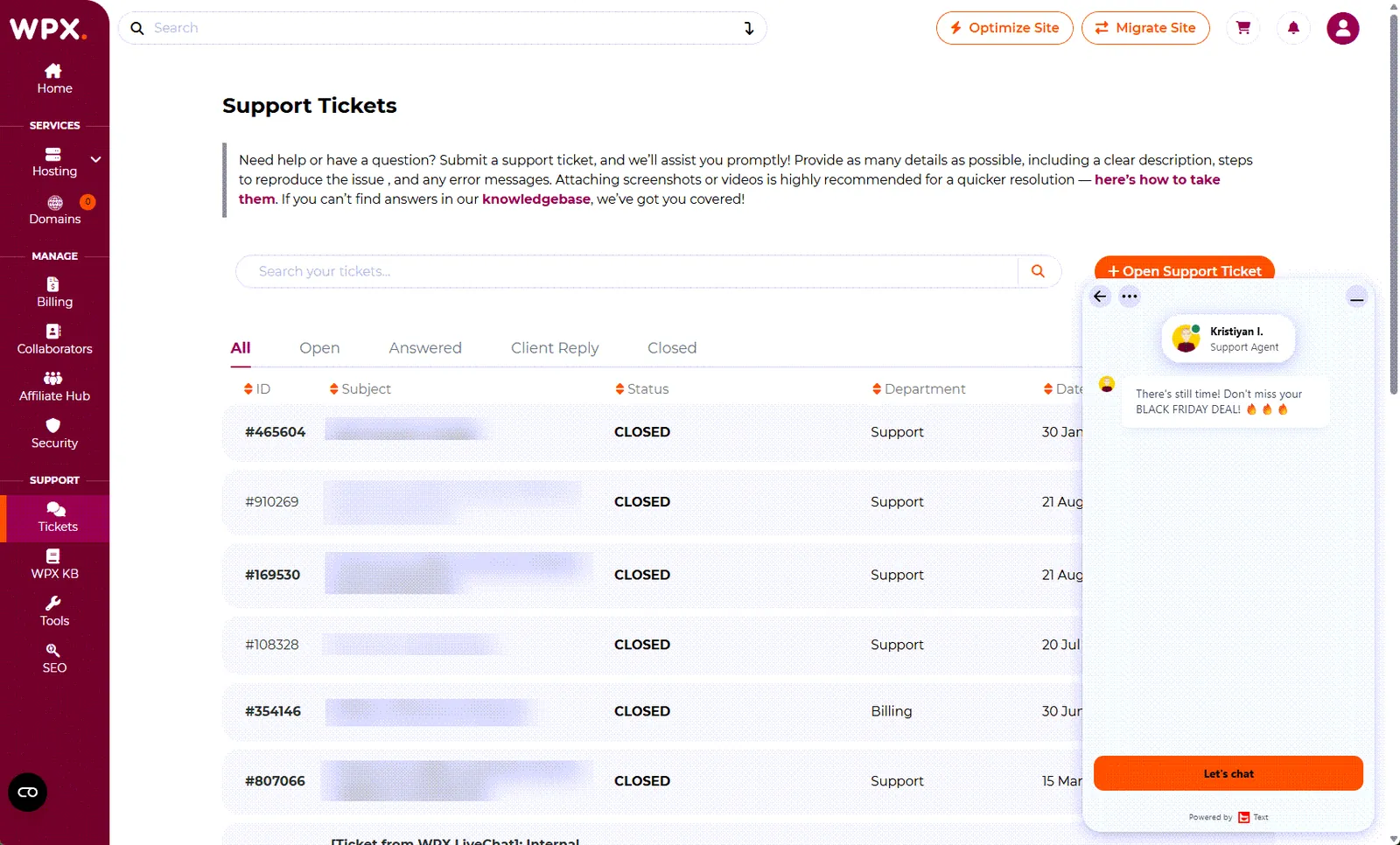
Over seven years I’ve opened 18 support tickets with WPX. None of them were problems with WPX. They were mostly migration requests, plus questions about things I just didn’t understand, which is a polite way of saying I asked some fairly basic questions and nobody made me feel silly for it.
That said, the real MVP is the live chat.
At most hosts, live chat is a gate. The first person you talk to isn’t technical, can’t answer a technical question, and their job is to read a script until you give up or convince them to escalate. You know the routine: “Have you tried clearing your cache?” Yes. Twice. Before I opened the chat.
WPX doesn’t do that. There’s no first level of support to get past. The people on chat genuinely know WordPress and their own platform, and they’re empowered to fix problems right there in the conversation. I’ve never had an issue they couldn’t resolve on chat. And they’re lovely to deal with, which shouldn’t be rare in this industry, but is.
The one time I can remember having a real technical problem was in August 2023. WPX’s webmail server had an outage, and afterwards I couldn’t log in to my webmail: every attempt ended in an “Invalid request” error. I opened a chat at 7:42 in the morning and had a reply in about 20 seconds. The agent checked, restarted the webmail service, and when that didn’t fix it, told me straight away and turned the chat into a ticket so the team could track it. A minute later a colleague came back to say it was fixed. From opening the chat to working email took about ten minutes, which is less time than it takes me to find my reading glasses.
I don’t like to gush. But compared with every other hosting company I’ve dealt with, WPX’s support stands out as especially excellent. WPX says the average chat reply comes in about 30 seconds and that 90% of issues get solved in the chat itself. That matches my experience.
Reliability: seven years, no outages (that were WPX’s fault)
In seven years my websites haven’t had a single outage that wasn’t my own fault. There were a few that were my own fault. We don’t need to talk about those. The only blip I can remember on WPX’s side was that webmail outage in 2023, and you’ve read how quickly that got sorted.
That’s the boring kind of hosting you want. No surprise downtime emails, no sites falling over during a busy day, no hunting through a status page while someone asks why the website is gone. WPX promises 99.95% uptime, and it’s simply never been a thing I’ve had to think about.
What you get with WPX WordPress hosting
As a managed WordPress hosting company, WPX uses its own custom-built control panel designed for WordPress users, not old school cPanel (I’ve spent a lot of time in cPanel over the years and I do not miss it). Everything lives in one menu down the left side, and you can do almost anything without opening a ticket.
Your websites in one place
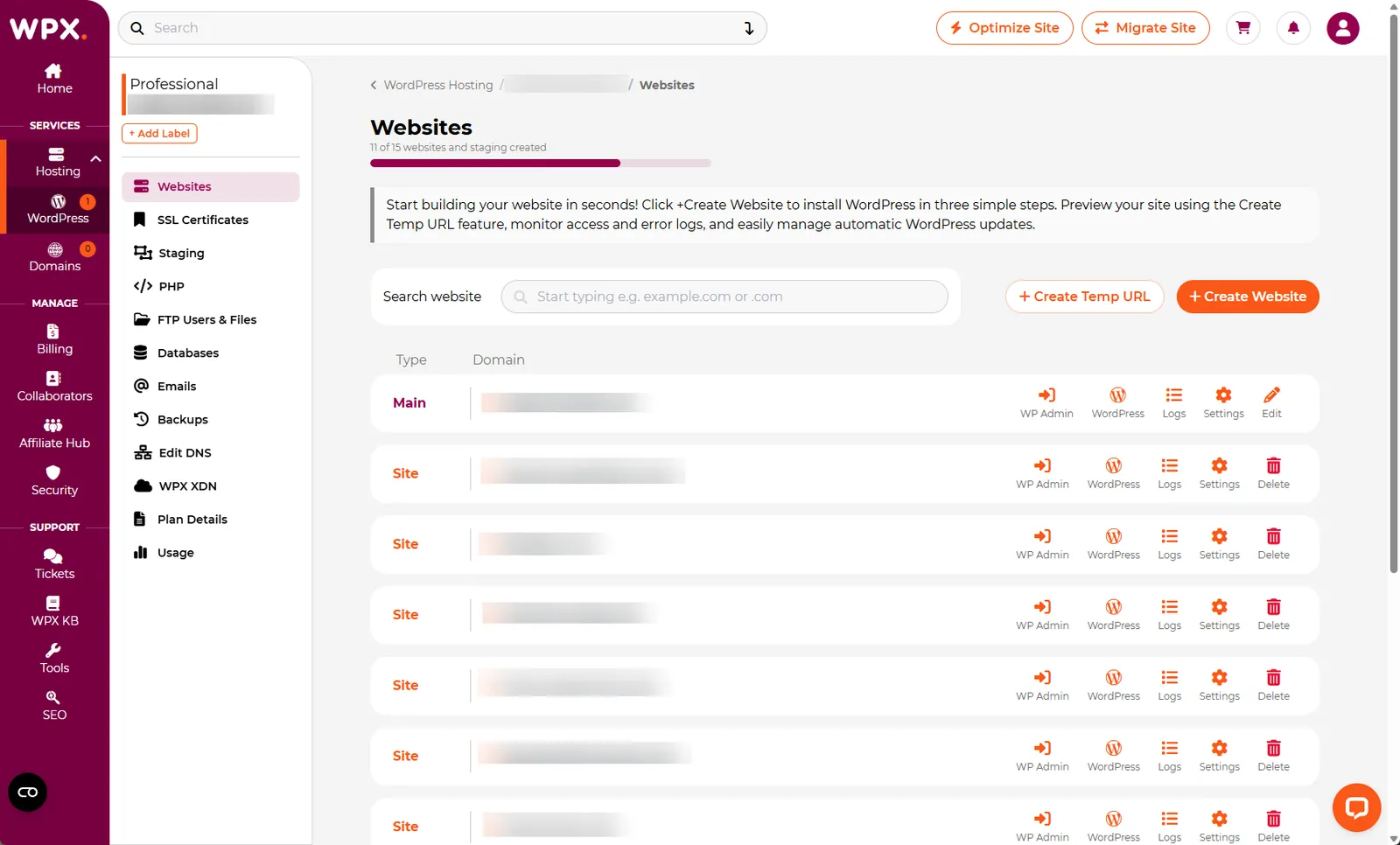
The Websites screen lists every site on your plan, with one-click buttons for WP Admin, WordPress updates, logs and settings. It also shows how many of your plan’s site slots you’ve used.
Adding a site, or moving one in
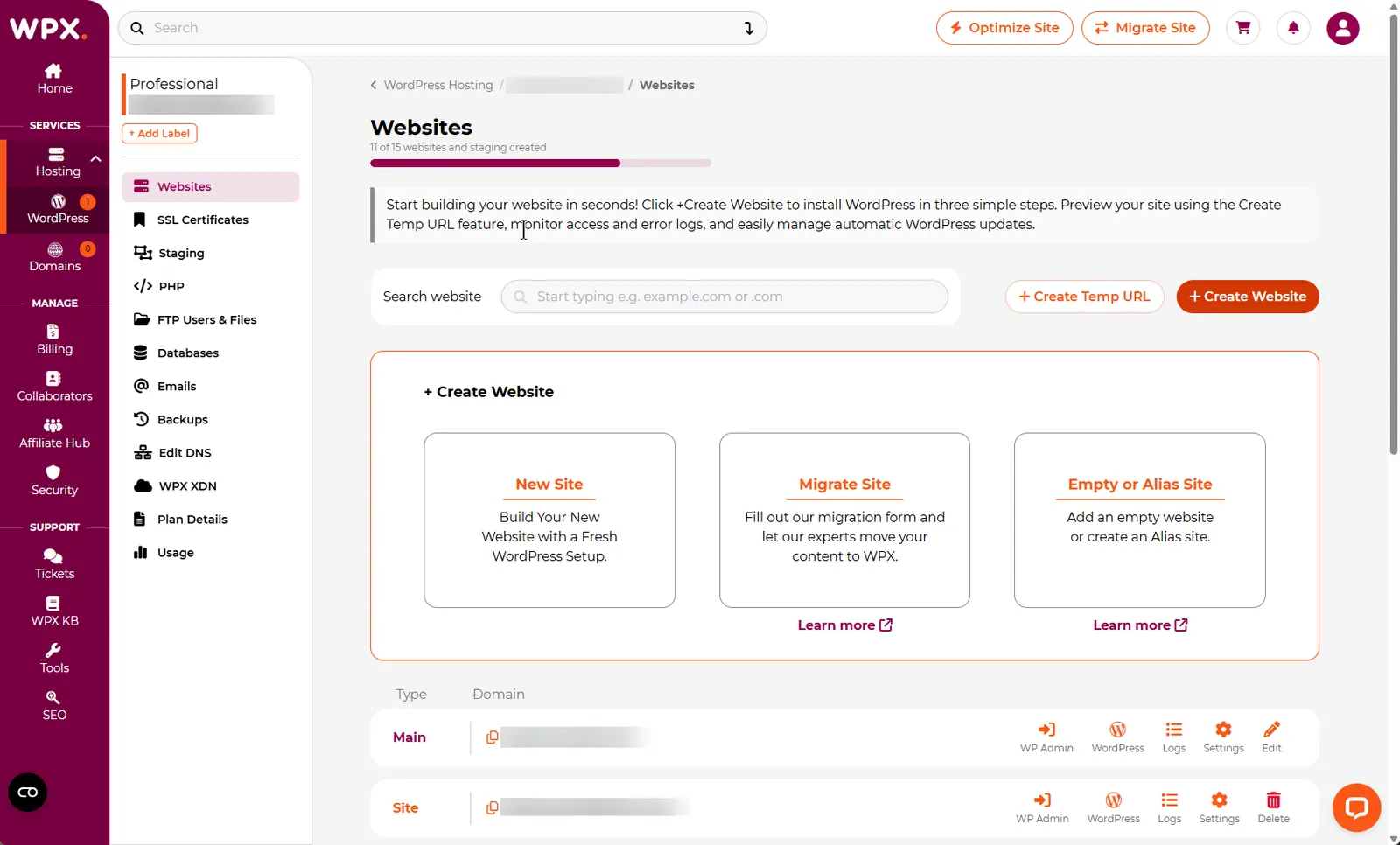
You can start a new WordPress site, ask their team to migrate an existing one, or add an empty or alias site. So technically, while WPX is a WordPress specialist, you can host non-WordPress sites there.
Migrations are free and unlimited, whatever the number or size of your sites, and WPX’s own migration team does the work, usually within 24 hours. They’ll move your email too, which is one less fiddly job for you.
Free SSL certificates
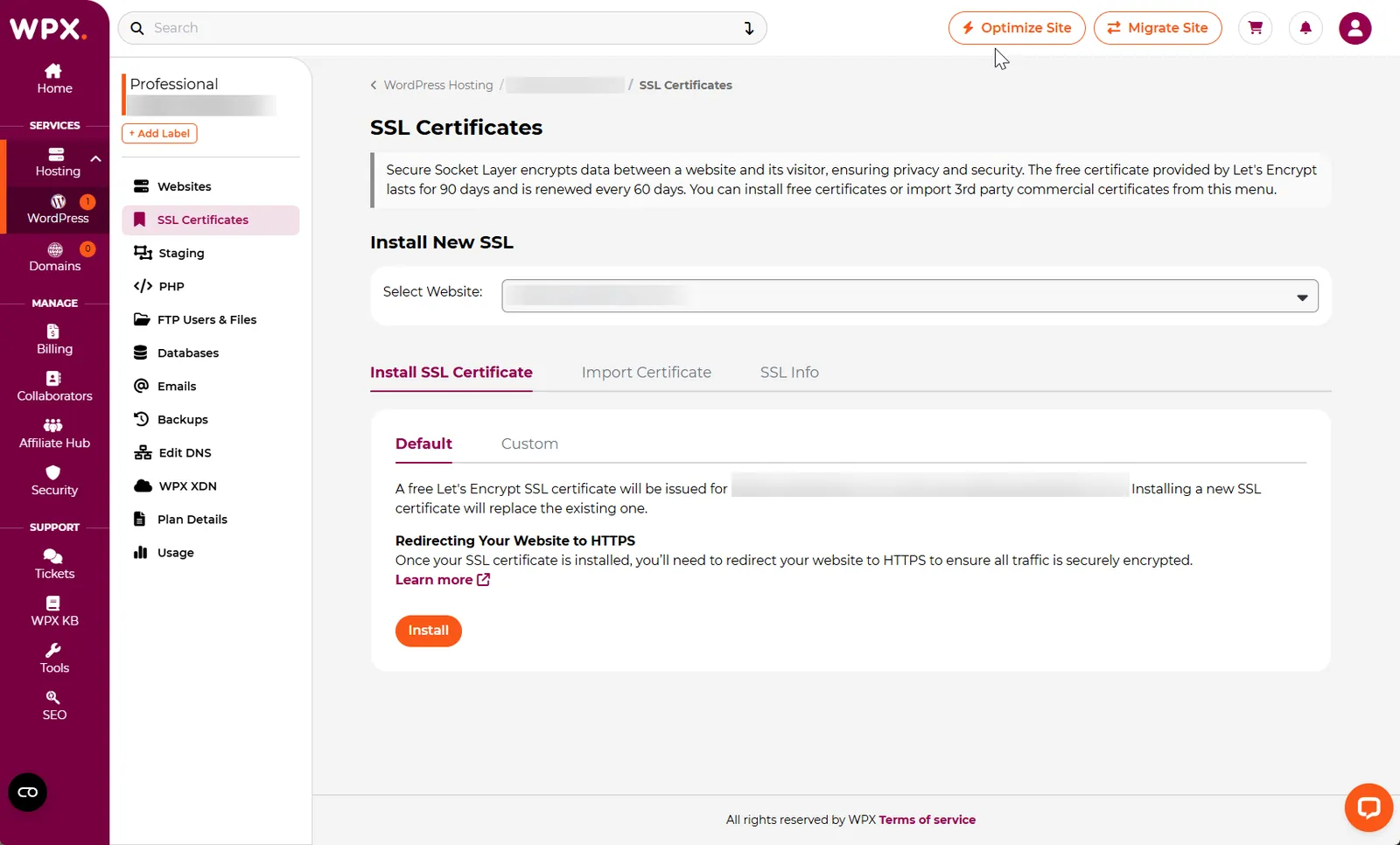
Every site gets a free Let’s Encrypt SSL certificate, installed with one click and renewed automatically. You can also import a paid certificate if you have one.
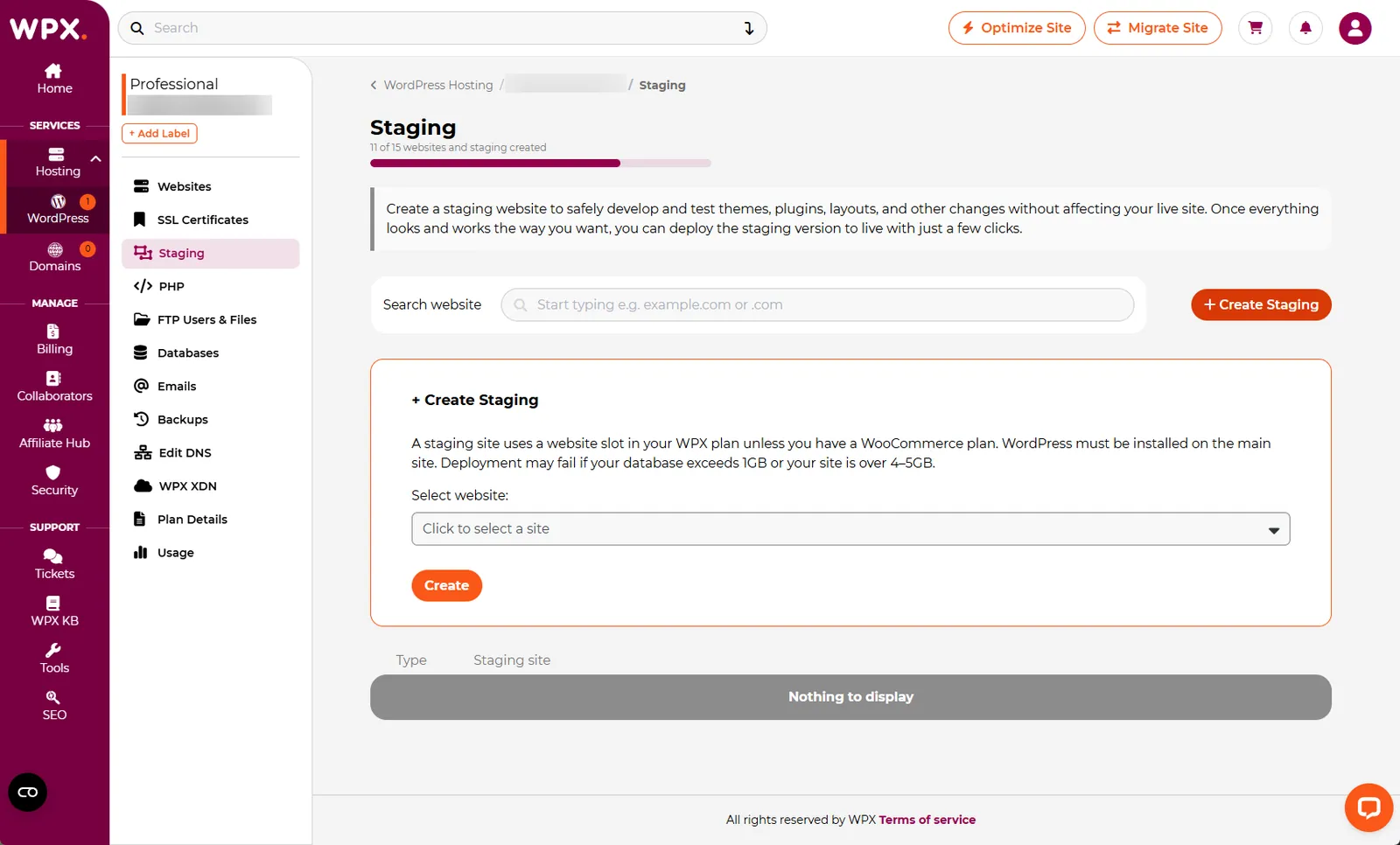
Staging sites
Staging gives you a private copy of a site to test plugins, themes and changes, then push them live when you’re happy. Each staging site uses one of your website slots, except on the WooCommerce plans. WPX docs warn that deploying can fail on very large sites (a database over about 1GB, or files over 4 to 5GB), but that has never happened to me.
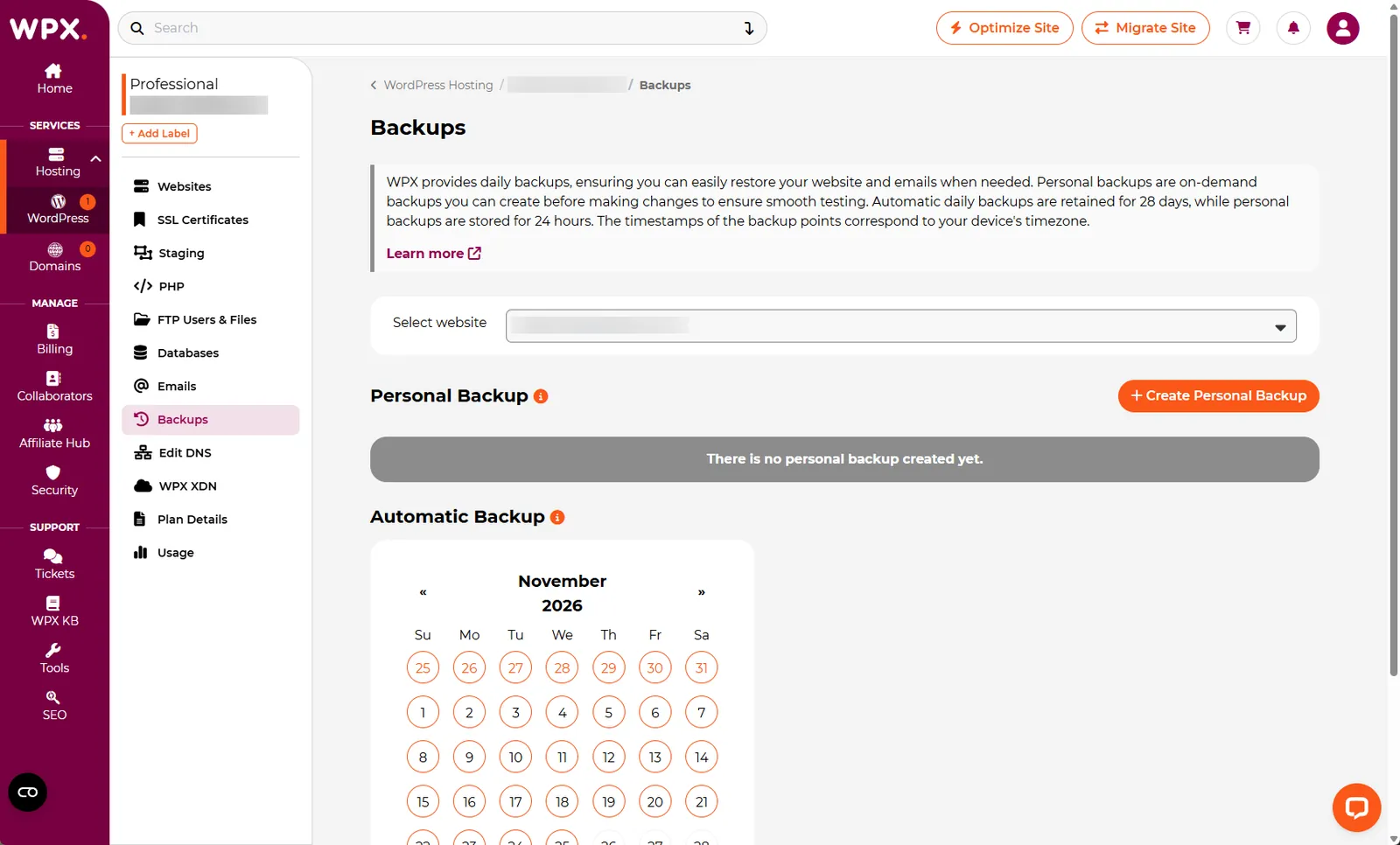
Backups
WPX takes automatic daily backups and keeps them for 28 days on separate servers, and you can 1-click restore any day from a calendar.
You can also make a personal backup before a risky change, which is kept for 24 hours. It’s a lovely safety net for “just a quick update”.
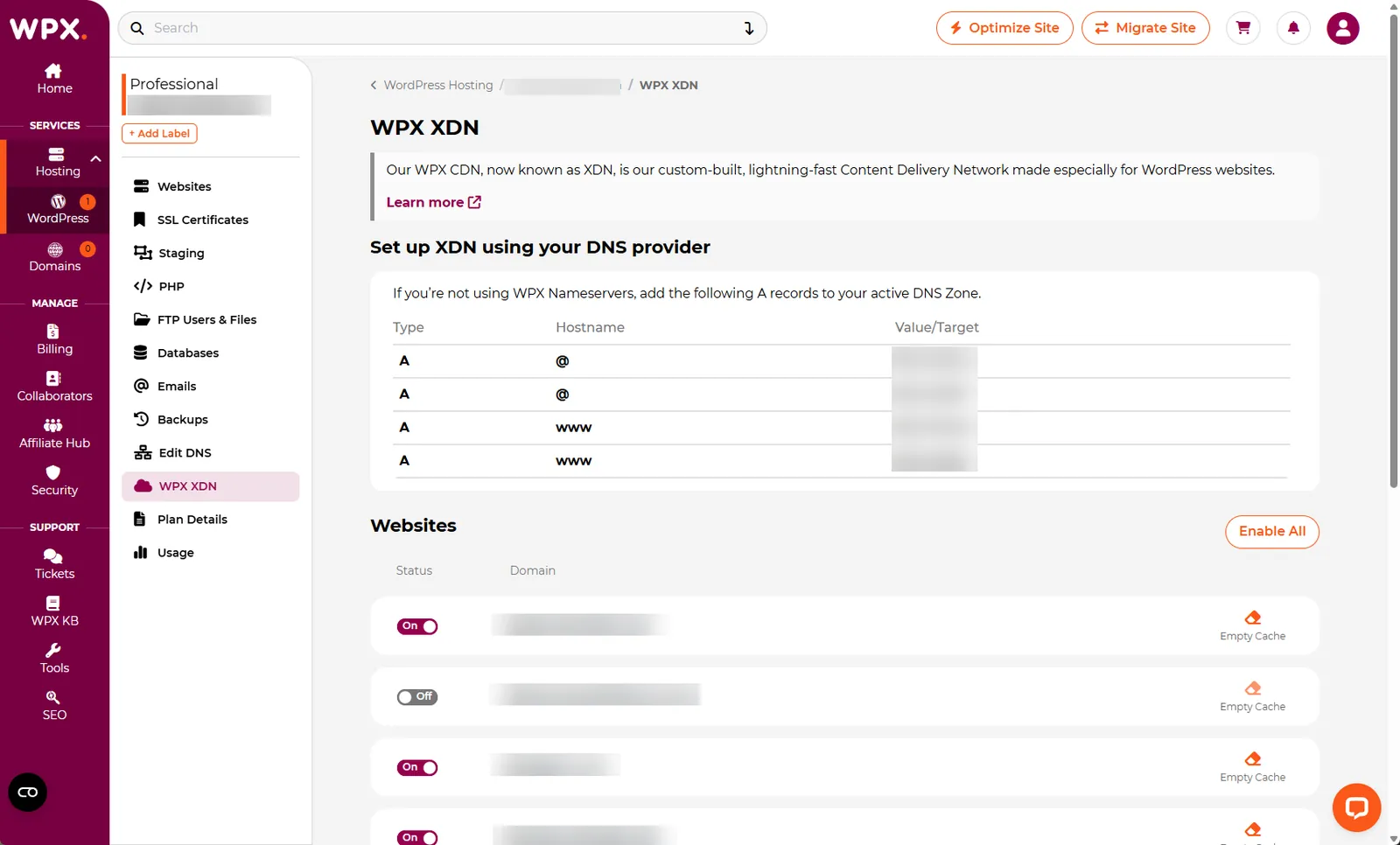
XDN, the built-in CDN
XDN is WPX’s own content delivery network, free on every plan. It serves your site’s static files from over 40 locations around the world, and you can switch it on per site and empty its cache with one click. This is how WPX makes up for having only three data centres.
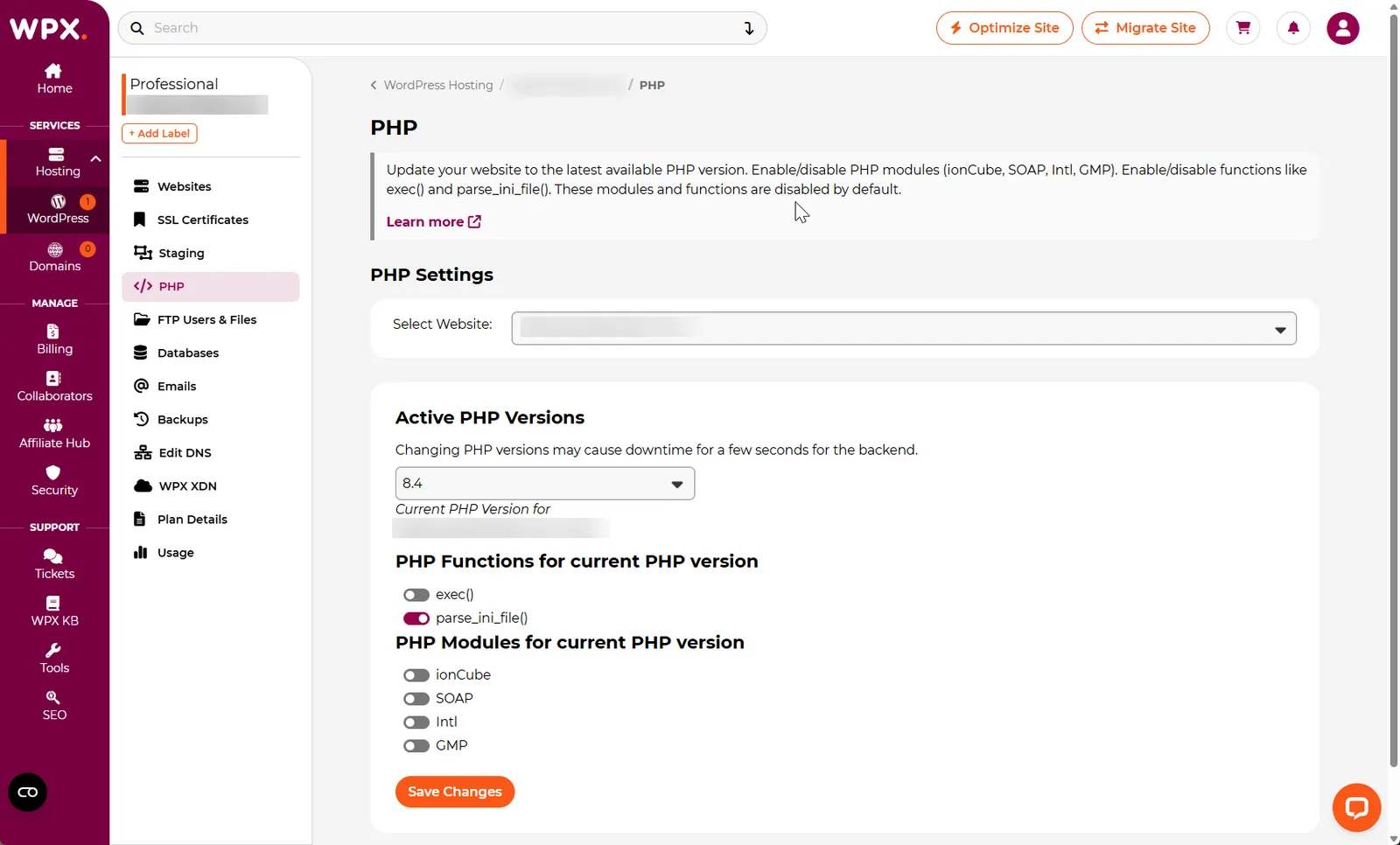
PHP versions and settings
You can switch PHP versions per site from a drop-down and turn on extra modules like ionCube, SOAP, Intl and GMP when a plugin needs them. Under the hood, WPX runs LiteSpeed Enterprise with MariaDB.
Databases, files and DNS
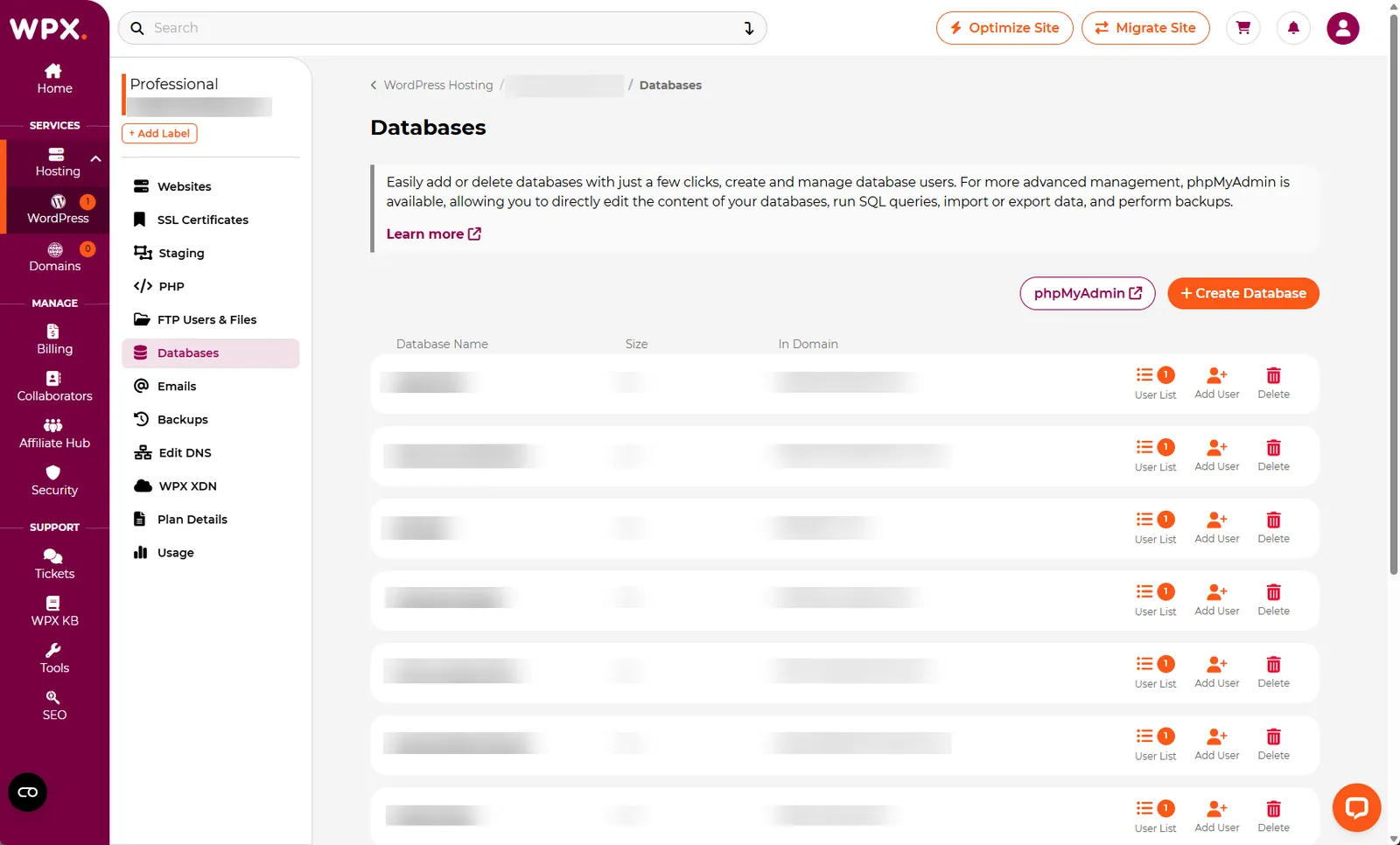
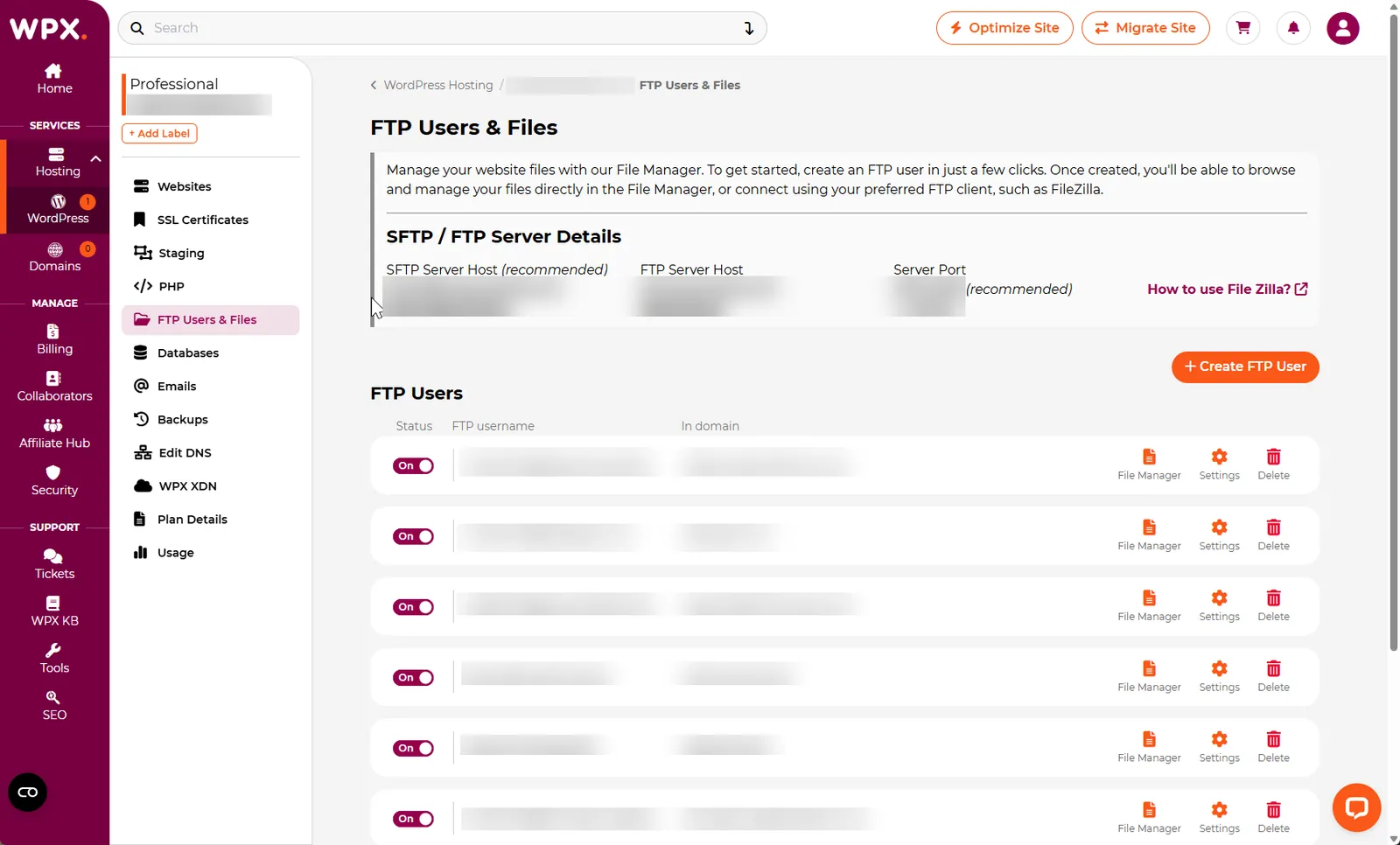
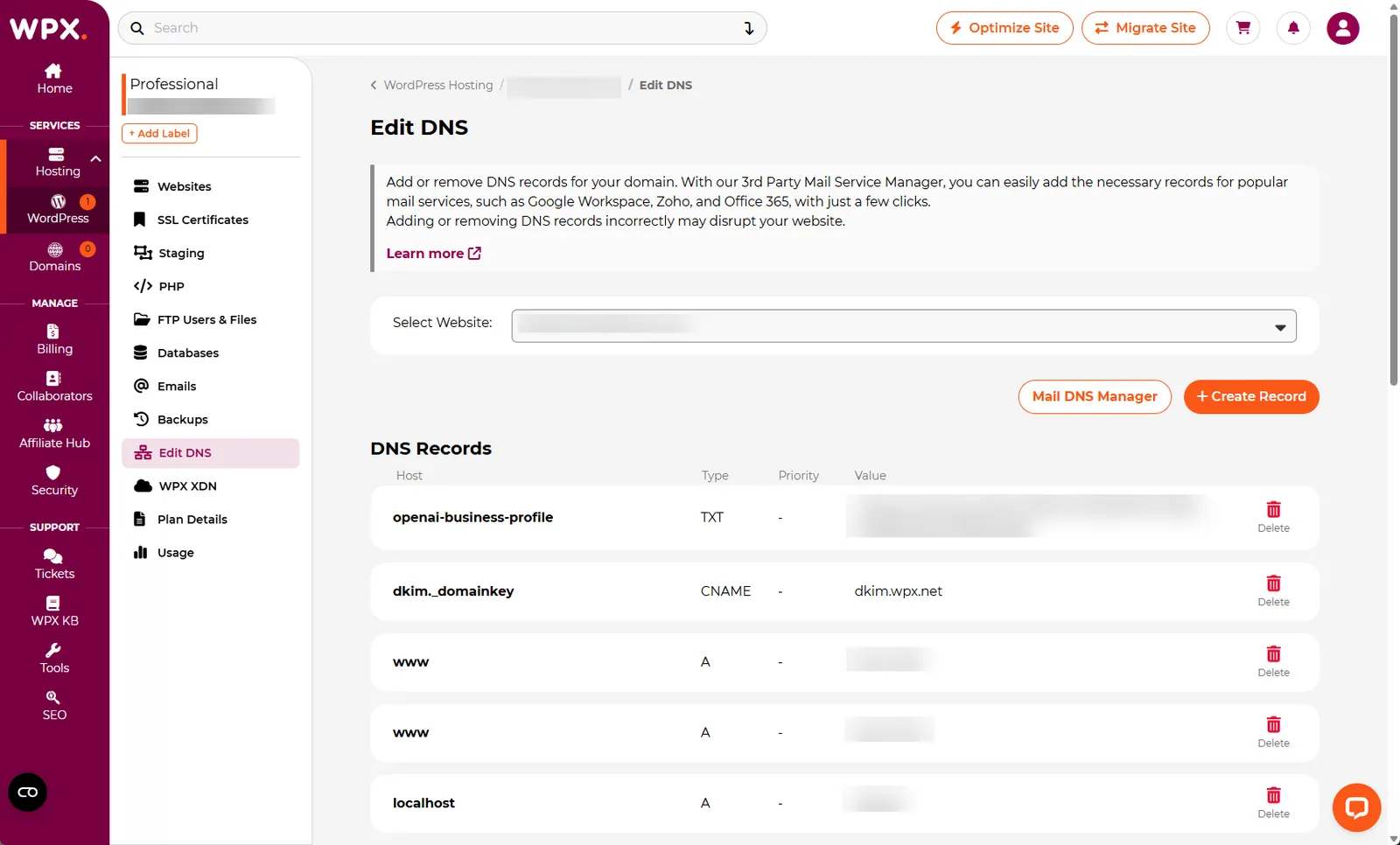
The less glamorous tools are all there. You can create databases and users, with phpMyAdmin a click away. FTP users and a browser-based file manager are in the same menu, with SFTP recommended for connecting a client like FileZilla. And if your domain uses WPX’s nameservers, you can edit DNS records yourself, including a Mail DNS Manager that sets up Google Workspace, Zoho or Office 365 for you.
Email hosting
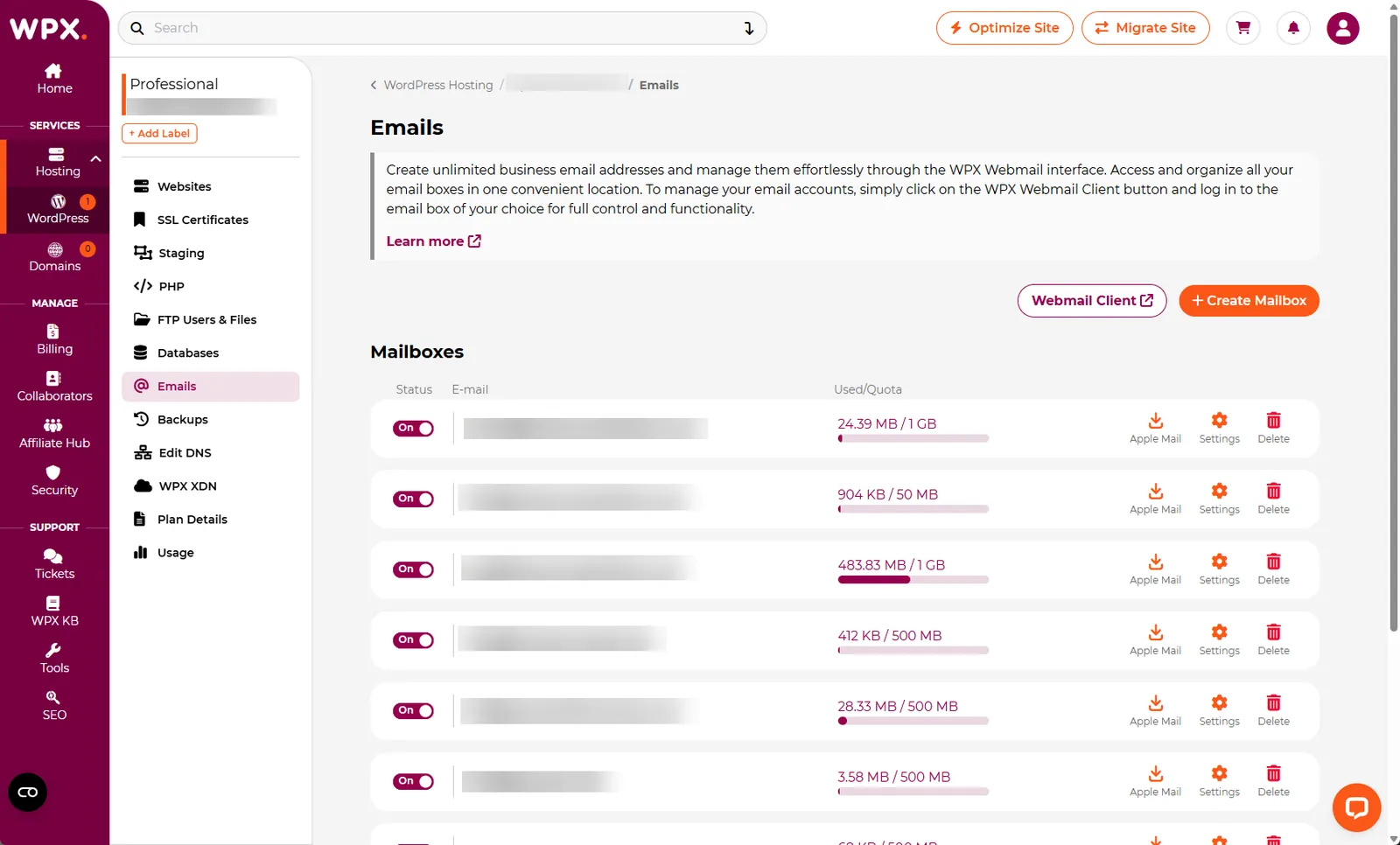
The Business plan and up include unlimited mailboxes, webmail and spam protection, so you don’t have to pay separately for email on your domain. It’s straightforward, no-frills email. If you want something fancier, the Mail DNS Manager makes it easy to point your domain at Google Workspace or Microsoft 365 instead.
Security and free SEO tools
WPX scans sites for malware daily and removes it for free if it ever turns up. It also runs a web application firewall, blocks brute-force login attempts and has DDoS protection through the XDN. I know many people (myself included) are big fans of Cloudflare for these kinds of features, but it is awesome to get these features included.
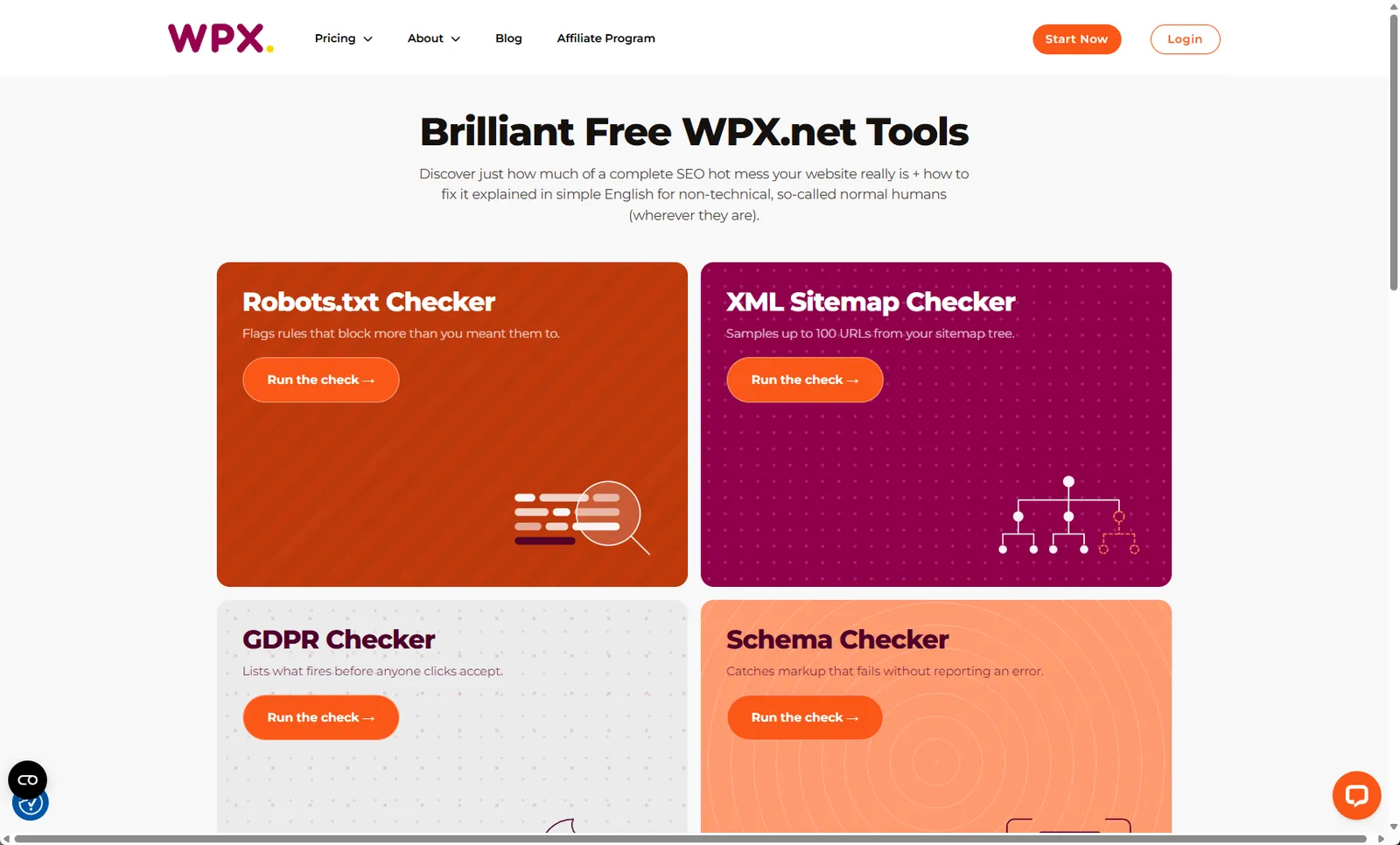
They also publish a set of free SEO checkers that anyone can use, no account needed: robots.txt, XML sitemap, GDPR, schema, accessibility and duplicate content. As an SEO person, I approve.
WPX hosting prices
These are WPX’s standard prices in US dollars, excluding tax, from wpx.net on 26 November 2026.
| Plan | Websites | Storage | Bandwidth | Monthly | Yearly |
|---|---|---|---|---|---|
| Starter | 1 | 10 GB | 100 GB | $17.99 | $107.94 |
| Business | 5 | 20 GB | 200 GB | $29.99 | $179.94 |
| Professional | 15 | 40 GB | 400 GB | $59.99 | $359.94 |
| Elite | 35 | 80 GB | Unlimited | $119.99 | $719.94 |
| Agency | 200 | 300 GB | Unlimited | $599.99 | $3,599.94 |
| Powerstore (WooCommerce) | 1 | 20 GB | 400 GB | $34.99 | $209.94 |
| Superstore (WooCommerce) | 3 | 50 GB | Unlimited | $74.99 | $449.94 |
| Hyperstore (WooCommerce) | 5 | 100 GB | Unlimited | $149.99 | $899.94 |
The WooCommerce plans add Redis caching (also included on Elite and Agency), more storage per site, and staging sites that don’t use up one of your site slots. For reference, I’m on the Professional plan, currently using 11 of my 15 sites.
At the time of writing WPX is running a Black Friday sale with big first-term discounts, so check the current prices before you decide. Every plan comes with a 30-day money-back guarantee and unlimited visitors.
Who WPX isn’t for
I’m a fan, not a fanboy. WPX is a great fit for most WordPress sites, but I’d point you elsewhere if:
- You live in the terminal. WPX doesn’t advertise SSH, WP-CLI or Git deployments, so if your workflow depends on them, ask their chat before you buy.
- You’re an enterprise with an enterprise budget. For big organisations I still like Kinsta, which is really solid and built on Google Cloud, though you pay for it.
- You want the absolute cheapest hosting. WPX costs more than budget shared hosting. You’re paying for the support and reliability, and in my opinion that’s money well spent.
WPX as an alternative to the big names
I’ve been a customer of all of these, so this part is very much my own experience and opinion.
WPX as a WP Engine alternative
I used to be a big advocate of WP Engine. It was the first really well thought out managed WordPress host, and for a while it set the standard. In my experience its service slipped over the years, and its pricing drifted to the point where it suits enterprise clients more than anyone else. If you’re a small or medium-sized business looking for a WP Engine alternative, WPX gives you the managed hosting WP Engine was once known for, at prices that make sense.
WPX as a Kinsta alternative
I still like Kinsta, especially for enterprise. It’s really solid and built on Google Cloud, with plenty of data centre locations. It’s also expensive. If you’re a big organisation with a global audience, Kinsta is a great choice. If you’re a small business, a blogger or a small agency, WPX is the Kinsta alternative I’d pick: managed hosting that’s just as carefully run, with better support and plans you can actually afford.
WPX as a SiteGround alternative
SiteGround has more data centres and low introductory prices, but those prices go up when your first term ends. WPX costs more upfront. If you’ve outgrown entry-level hosting and want support that fixes things rather than links you to a help article, WPX is a worthy SiteGround alternative.
WPX as a Bluehost alternative
Bluehost is where a lot of us started, me included. Bluehost and HostGator are both owned by Newfold Digital (formerly Endurance International Group), and I’ve used plenty of its hosting brands over the years. Their customer service has a famously poor reputation, and from my own experience I have to agree with the general consensus. If your site has started to matter to your business, WPX is the Bluehost alternative I’d recommend: managed WordPress hosting with a support team that actually knows WordPress.
What about Pressidium?
Pressidium is another one I’ve used, and it was really good too. But for me, nobody else matches WPX’s combination of well-managed WordPress hosting, next level support and plans that small and medium-sized businesses can afford. That’s WPX’s sweet spot.
WPX hosting FAQs
These are the questions I see people ask most when they’re weighing up WPX.
Is WPX hosting worth it?
For most WordPress sites, yes. You pay more than budget hosting, but you get reliable managed hosting and support that actually solves problems. WPX has a TrustScore of 4.6 from more than 3,600 reviews on Trustpilot (as of November 2026), and support is the theme that comes up again and again.
How much does WPX hosting cost?
Plans start at $17.99 a month for one site on the Starter plan, and the Business plan is $29.99 a month for up to five sites. Paying yearly gets you six months free. See the price table above for every plan.
Can I get a refund from WPX?
Yes, within 30 days. If you paid yearly you can get a full refund in the first 30 days; on a monthly plan, the guarantee covers your first payment. Renewals and domain registrations aren’t refundable, so if you’re thinking of leaving, cancel before your renewal date. Read the refund policy for the details.
Where are WPX’s servers?
WPX has data centres in Chicago, London and Sydney. Its XDN content delivery network then serves your site’s static files from more than 40 locations worldwide, which helps visitors who are further away. I’m in New Zealand with my server in the US, and my sites run just fine, especially with the XDN.
Will WPX migrate my site for free?
Yes. WPX migrates as many sites as you like for free, whatever their size, and its own team does the work, usually within 24 hours. Email migrations are included on plans that include email.
Is WPX good for WooCommerce?
Yes, for most stores. WPX has dedicated WooCommerce plans with more storage, Redis caching and staging that doesn’t use up a site slot. For very large, high-traffic stores, compare it with enterprise-level hosts before you decide.
Does WPX include email hosting?
Yes, on the Business plan and up, with unlimited mailboxes and webmail. The Starter plan doesn’t include email. WPX’s email is simple, and if you want more features you can easily connect Google Workspace or Microsoft 365 instead.
Does WPX use cPanel?
No. WPX built its own control panel, which covers sites, SSL, staging, backups, PHP, databases, FTP, DNS, email and the CDN. If you’re used to cPanel it takes about ten minutes to find your way around, and it’s a lot less cluttered.
Does WPX offer SSH, WP-CLI or Git?
WPX doesn’t list SSH, WP-CLI or Git on its plans or in its knowledge base. You get SFTP, FTP, a file manager and phpMyAdmin. If you rely on command-line tools, ask WPX’s live chat before you sign up.
Does WPX offer staging sites?
Yes. You can create a staging copy of any site, test changes safely, then deploy it to your live site. Each staging site uses one of your plan’s site slots, unless you’re on a WooCommerce plan.
How often does WPX back up my site?
Every day. WPX keeps automatic daily backups for 28 days on separate servers, and you can restore any of them from the control panel. You can also make an on-demand personal backup, which is kept for 24 hours.
Does WPX remove malware for free?
Yes. WPX scans your sites for malware every day and cleans them up for free if anything is found. It also protects sites with a web application firewall, brute-force login protection and DDoS protection.
Is WPX support really 24/7?
Yes. Live chat is open 24/7 on every plan, and you can also open a ticket or email support. There’s no phone support, but in my experience the chat is faster than any phone line I’ve ever waited on.
Can WPX handle high-traffic sites?
Every plan includes unlimited visitors, and the Elite and Agency plans have unlimited bandwidth. WPX is built for typical business sites, blogs and agency portfolios. If you expect huge traffic spikes or run a very large store, talk to their chat about your numbers first.
My final WPX review verdict
I’ve hosted WordPress sites in a lot of places, and WPX managed WordPress hosting is what I recommend to friends without hesitation. The hosting is reliable, the control panel is simple, migrations and malware removal are free, and the support is genuinely the best I’ve had anywhere.
If you’re shopping for managed WordPress hosting, put WPX at the top of your list. And if you do sign up, say hi to the live chat team for me. I’ve probably asked them a silly question recently.
Check out WPX hosting